 Arnold
 Autodesk Arnold: Render detailed 3D characters and scenes
Global illumination rendering software
Image courtesy of Mikros Animation

What is Autodesk Arnold?
Autodesk Arnold software is an advanced Monte Carlo ray tracing renderer that helps you deliver beautiful and predictable results.
Produce professional-grade renders with full artistic control.
Get immediate results with interactive rendering.
See high-quality previews of your projects right in Maya and 3ds Max without breaking creative flow.
What is Autodesk Arnold?
Autodesk Arnold software is an advanced Monte Carlo ray tracing renderer that helps you deliver beautiful and predictable results.
Produce professional-grade renders with full artistic control.
Get immediate results with interactive rendering.
See high-quality previews of your projects right in Maya and 3ds Max without breaking creative flow.

Manage complex projects with production-ready tools

Integrate and customize your pipeline
Manage complex projects with production-ready tools
Integrate and customize your pipeline
Features to support your creativity
Arnold GPU
Switch seamlessly between CPU and GPU rendering.
Subsurface scatter
High-performance ray-traced subsurface scattering eliminates the need to tune point clouds.
Hair and fur
Memory-efficient ray-traced curve primitives help you create complex fur and hair renders.
Motion blur
3D motion blur interacts with shadows, volumes, indirect lighting, reflection, or refraction.
Volumes
Render effects such as smoke, clouds, fog, pyroclastic flow, and fire with volumetric rendering.
Instances
Efficiently ray trace instances of many scene objects with transformation and material overrides.
"We would not have been able to do this project without Arnold. … For stylized projects, we always use Arnold now—we don't even discuss it."
"It’s broadly used across the industry, which means a lot of studio talent is trained on it, so we don’t have to spend much time teaching our team how to use it."
"It delivers predictable results, and we have a great relationship with the developers."
"[With Arnold], we would be able to generate raw renders that can help us create multiple ambiances out of a single render."
Media & Entertainment Collection
Design better, smarter, faster with the Media & Entertainment Collection
Design better, smarter, faster with the Media & Entertainment Collection
Save over annual licenses
Create breathtaking scenes and characters for film, TV, and games.
Image courtesy of Sylvain Marc & Annick BuhrCreate breathtaking scenes and characters for film, TV, and games.
Media & Entertainment Collection



+ 5 more
Media & Entertainment Collection
Design better, smarter, faster with the Media & Entertainment Collection
Design better, smarter, faster with the Media & Entertainment Collection
Save over annual licenses
Create breathtaking scenes and characters for film, TV, and games.
Image courtesy of Sylvain Marc & Annick BuhrCreate breathtaking scenes and characters for film, TV, and games.
Media & Entertainment Collection
+ 5 more
Explore Arnold resources
videos
M&E YouTube Channel
Watch talks from industry experts, discover new tools and workflows, and much more.
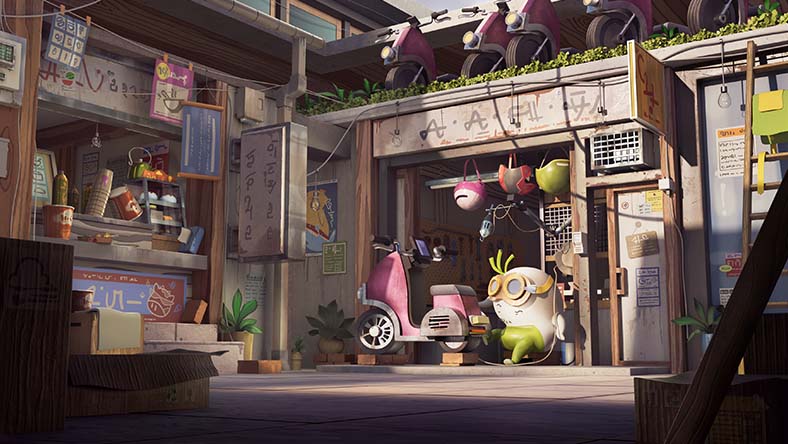
Image courtesy of Arjun Anand
TUTORIALS
Arnold renderer YouTube channel
Find video tutorials of all levels to help you learn Arnold.
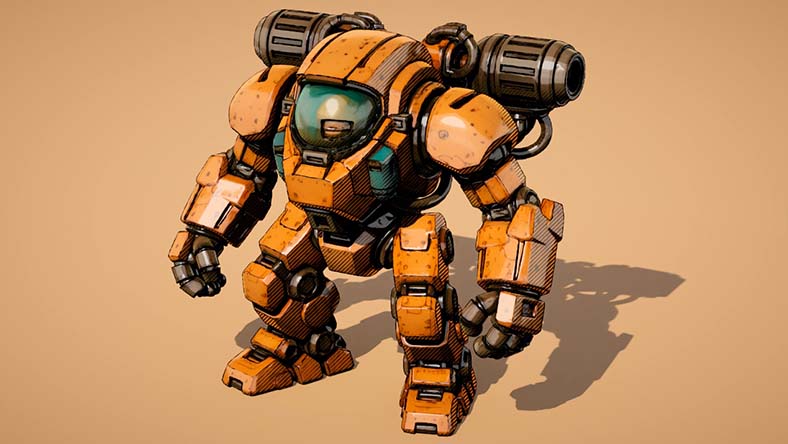
Image courtesy of Lee Griggs

BLOGS
M&E Blog
Read Arnold news and stories from animation, VFX, and games studios.
Image courtesy of Lee Griggs
Questions? We have answers.
Arnold is an advanced Monte Carlo ray tracing renderer used to render realistic 3D characters, photorealistic designs, and complex scenes for film and TV, games, and design visualization projects.
Arnold is used by 3D modelers, animators, lighting artists, and FX artists across the film, TV, games, and design visualization industries.
Your Autodesk Arnold subscription gives you access to install and use the three previous versions. Available downloads are listed in your Autodesk Account after subscribing. See also previous releases available for subscribers.
Products you can trust
From payment flexibility to always-on support, expect excellence.


